Electronics

Best Gaming Laptop Models

The Ultimate Guide to Choosing the Best Gaming Laptop in 2026

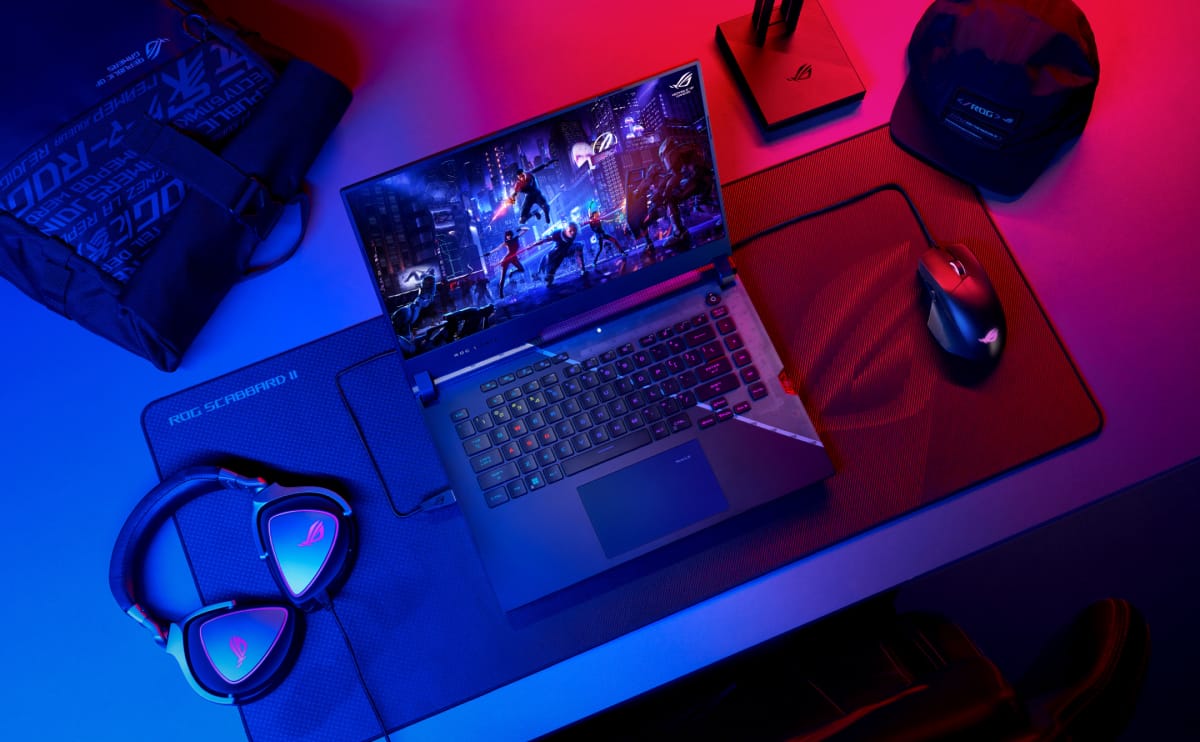
Gaming laptops have evolved dramatically over the last few years. What was once considered a bulky desktop replacement has now transformed into an ultra-powerful machine capable of delivering desktop-grade gaming performance, AI-powered enhancements, content creation capabilities, and seamless multitasking. Whether you’re a competitive esports player, a streamer, a content creator, or simply someone looking for the best portable gaming experience, selecting the right gaming laptop requires careful consideration.

In this comprehensive guide, we’ll explore the most important gaming laptop features, buying considerations, performance factors, and recommended gaming-related products available from TESmart Australia that can elevate your gaming setup. TESmart Australia currently offers gaming-focused display products such as the ASUS TUF Gaming VG328H1B 32-inch Curved Gaming Monitor, making it an excellent addition for gamers seeking an immersive experience beyond their laptop display. [tesmart.com.au]


Why Gaming Laptops Are More Popular Than Ever

Modern gaming laptops offer several advantages:

  • Portable gaming anywhere
  • Powerful desktop-class hardware
  • High refresh rate displays
  • Ray tracing support
  • AI-enhanced gaming performance
  • Streaming and content creation capabilities
  • Multi-monitor connectivity
  • Improved battery efficiency

Unlike traditional laptops, gaming laptops are specifically designed to handle demanding titles such as:

  • Cyberpunk 2077
  • Call of Duty: Warzone
  • Fortnite
  • GTA V
  • Valorant
  • Counter-Strike 2
  • Black Myth: Wukong
  • EA FC
  • Apex Legends

Essential Gaming Laptop Features

1. Powerful Processor (CPU)

The processor is the brain of your gaming laptop. Modern AAA games require strong processing power for physics calculations, AI processing, and background tasks.

Recommended CPUs

Use Case Recommended Processor
Casual Gaming Intel Core i5 / Ryzen 5
Mid-Range Gaming Intel Core i7 / Ryzen 7
High-End Gaming Intel Core Ultra 7 / Ryzen 9
Streaming & Content Creation Intel Core Ultra 9 / Ryzen 9 HX

Why CPU Matters

A powerful processor improves:

  • Game loading speed
  • Frame consistency
  • Streaming performance
  • Multitasking
  • Video editing

2. Dedicated Graphics Card (GPU)

The GPU is the single most important component for gaming performance.

Recommended Graphics Cards

Performance Level GPU Recommendation
Entry Gaming RTX 4050
Mainstream Gaming RTX 4060
High-End Gaming RTX 4070
Enthusiast Gaming RTX 4080
Ultimate Performance RTX 4090

Benefits of Modern GPUs

  • Ray tracing support
  • DLSS technology
  • AI frame generation
  • Better visual quality
  • Higher FPS performance

Gaming Laptop Display Features

3. Refresh Rate

Refresh rate determines the smoothness of gameplay.

Refresh Rate Suitable For
60Hz Casual Gaming
120Hz Entry Competitive
144Hz Most Gamers
165Hz Competitive Gaming
240Hz+ Esports Players

Higher refresh rates result in:

  • Smoother gameplay
  • Faster reaction time
  • Reduced motion blur

4. Screen Resolution

Full HD (1920×1080)

Pros:

  • Higher FPS
  • Better battery life
  • Easier GPU requirements

QHD (2560×1440)

Pros:

  • Sharper visuals
  • Better image quality
  • Excellent balance

4K (3840×2160)

Pros:

  • Stunning visuals
  • Creative workflows
  • Premium gaming

Cons:

  • Requires powerful GPU

5. Screen Size

Screen Size Ideal User
14-inch Travelers
15.6-inch Balanced Users
16-inch Most Gamers
17.3-inch Desktop Replacement
18-inch Extreme Performance Users

Memory (RAM)

6. RAM Requirements

RAM impacts multitasking and modern gaming capabilities.

Usage Recommended RAM
Casual Gaming 16GB
AAA Gaming 32GB
Streaming 32GB
Content Creation 32GB-64GB

Today, 16GB should be considered the minimum for gaming laptops.


Storage

7. SSD Technology

Storage greatly impacts loading times.

Recommended SSD Sizes

User Type Storage
Casual 512GB SSD
Gamer 1TB SSD
Enthusiast 2TB SSD
Creator 4TB SSD

Benefits of SSDs:

  • Faster boot times
  • Faster game loading
  • Better system performance
  • Silent operation

Cooling Systems

8. Advanced Thermal Management

Powerful gaming hardware generates substantial heat.

Look for:

  • Multiple cooling fans
  • Vapor chamber cooling
  • Liquid metal thermal compounds
  • Large heat pipes
  • Smart fan controls

Poor cooling leads to:

  • Lower FPS
  • Thermal throttling
  • Reduced hardware lifespan

Gaming Keyboard Features

9. Mechanical-Style Keyboards

Premium gaming laptops often include:

  • RGB lighting
  • Per-key customization
  • Anti-ghosting
  • N-key rollover
  • Fast actuation switches

These features provide better responsiveness during intense gaming sessions.


Battery Life

10. Battery Considerations

Gaming laptops aren’t known for exceptional battery life, but modern models are improving significantly.

Expect:

Usage Average Battery
Gaming 2-4 Hours
Productivity 6-10 Hours
Web Browsing 8-12 Hours

Connectivity Features

11. Ports and Expansion

A quality gaming laptop should include:

  • USB-C
  • USB-A
  • HDMI
  • Ethernet
  • DisplayPort support
  • Audio combo jack

These ports are essential for connecting external accessories and gaming peripherals.


Gaming Setup Enhancement With TESmart Australia Products

A gaming laptop alone may not provide the ultimate gaming experience. External monitors can dramatically improve immersion and productivity.

ASUS TUF Gaming VG328H1B Curved Gaming Monitor

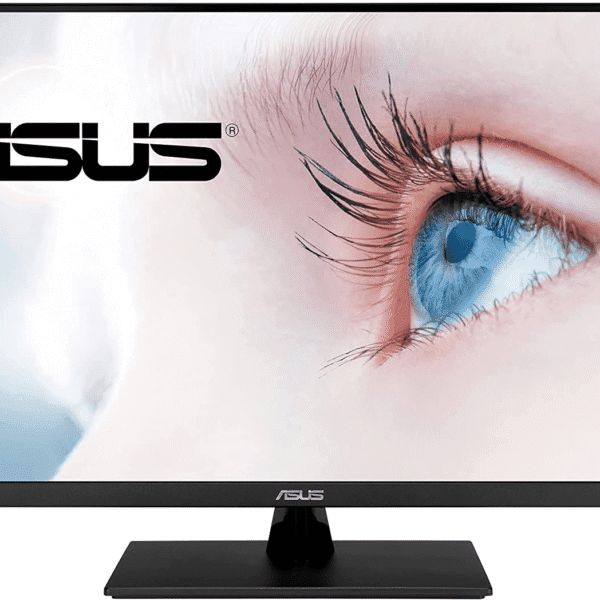
TESmart Australia offers the ASUS TUF Gaming VG328H1B 32-inch Curved Gaming Monitor featuring Full HD resolution, a 165Hz refresh rate, Adaptive Sync, FreeSync Premium support, and a 1ms response time, making it suitable for competitive gamers who want smoother visuals and reduced motion blur. [tesmart.com.au]

Key Specifications

Feature Specification
Screen Size 32-inch
Display Type Curved
Resolution 1080p Full HD
Refresh Rate 165Hz
Response Time 1ms
Sync Technology FreeSync Premium
Eye Care Features Yes

Why Gamers Love It

  • Larger gaming field of view
  • Enhanced immersion
  • Competitive refresh rate
  • Smooth gameplay
  • Reduced screen tearing

ASUS VP32AQ 31.5-inch 2K Monitor

Another display option available through TESmart Australia is the ASUS VP32AQ 31.5-inch monitor featuring WQHD (2560×1440) resolution, HDR10 support, IPS technology, Adaptive Sync/FreeSync compatibility, integrated speakers, and eye-care technologies. [tesmart.com.au]

Best Use Cases

  • RPG gaming
  • Open-world games
  • Content creation
  • Video editing
  • Streaming setups

Best Gaming Laptop Specifications by Budget

Budget Gaming Laptop ($1,000-$1,500)

Recommended Configuration:

Component Specification
CPU Ryzen 5 / Core i5
GPU RTX 4050
RAM 16GB
Storage 512GB SSD
Display 144Hz FHD

Ideal Games:

  • Fortnite
  • Valorant
  • CS2
  • League of Legends

Mid-Range Gaming Laptop ($1,500-$2,500)

Recommended Configuration:

Component Specification
CPU Ryzen 7 / Core Ultra 7
GPU RTX 4060 or RTX 4070
RAM 16GB-32GB
Storage 1TB SSD
Display 165Hz QHD

Ideal Games:

  • Warzone
  • Apex Legends
  • Forza Horizon
  • Hogwarts Legacy

High-End Gaming Laptop ($2,500-$5,000)

Recommended Configuration:

Component Specification
CPU Core Ultra 9 / Ryzen 9
GPU RTX 4080 or RTX 4090
RAM 32GB-64GB
Storage 2TB SSD
Display QHD 240Hz or 4K

Ideal Games:

  • Cyberpunk 2077
  • Starfield
  • Black Myth: Wukong
  • Microsoft Flight Simulator

Common Mistakes When Buying a Gaming Laptop

Choosing Based on Appearance

RGB lighting looks great, but performance matters more.

Ignoring Cooling

A powerful GPU is useless if it constantly overheats.

Buying Too Little Storage

Modern games regularly exceed 100GB.

Choosing Low Refresh Rate Displays

A 165Hz display provides a noticeably better experience than 60Hz.

Not Considering External Monitors

Many gamers benefit from larger displays such as the ASUS gaming monitors available via TESmart Australia. [tesmart.com.au]


Recommended Gaming Accessories

To maximize your gaming experience, consider:

Essential Accessories

  • Mechanical Keyboard
  • Gaming Mouse
  • Gaming Headset
  • Cooling Pad
  • External Monitor
  • Monitor Arm
  • USB Hub

Streaming Setup

  • Webcam
  • Microphone
  • Capture Card
  • Ring Light

Future-Proof Gaming Laptop Buying Tips

To maximize long-term value:

✅ Choose RTX 4060 or higher

✅ Minimum 16GB RAM

✅ Prefer 32GB RAM if budget allows

✅ Choose 1TB SSD minimum

✅ Consider QHD displays

✅ Look for advanced cooling

✅ Buy from trusted brands

✅ Add an external gaming monitor for dual-screen productivity


Final Verdict

The best gaming laptop is not necessarily the most expensive one. The ideal choice combines a powerful processor, dedicated RTX graphics, fast SSD storage, sufficient RAM, efficient cooling, and a high-refresh-rate display that matches your gaming preferences.

For gamers looking to build a complete setup, pairing a gaming laptop with a high-refresh-rate monitor can significantly improve immersion and competitiveness. TESmart Australia offers gaming-focused display options such as the ASUS TUF Gaming VG328H1B 32-inch 165Hz Curved Gaming Monitor and the ASUS VP32AQ 31.5-inch 2K Monitor, both of which can enhance gaming, streaming, and productivity experiences. [tesmart.com.au]

Whether you’re an esports enthusiast, casual gamer, streamer, or content creator, investing in the right gaming laptop and display setup today ensures years of smooth performance and an enjoyable gaming experience.

Leave a Reply

Your email address will not be published. Required fields are marked *